
Replay: 12/19/23 Tue Linkedin Prospecting, Additional Prospecting Funnels
About the job
This is a realistic mid-6 figure opportunity for a self-motivated individual who is willing to follow our proven system and put in the work.
We don’t punish success… we throw money at it. And within our system, you actually have the time and freedom to enjoy the financial success that we create together.
Our ideal candidate is an experienced entrepreneurial leader who is HUNGRY, and who appreciates the value of a PROVEN SYSTEM, the FREEDOM & FLEXIBILITY to work from anywhere that has an Internet connection, and the opportunity to build your own nationwide business with no cost to get started, no monthly fees or licensing required.
He or she must be good with people, have HIGH INTEGRITY, be self-directed, willing to follow our proven system, and be willing to put in the time and work that we all know is required to create extraordinary success.
We do our training online via live stream presentations and recorded videos. We meet clients in person or private web meetings via secure screen share technology… no wasted hours stuck in miserable traffic, and no boring office meetings.
Because we are hybrid, we are opening this industry for the first time to individuals who have never considered it before. We believe this will enable us to become one of the largest ERC marketing organizations in the industry.
We are now finalizing our search for the leaders who will facilitate and support that growth.
We are looking for WINNERS who are just looking for the right horse to ride and the right race to ride in.
If you’re intrigued by an opportunity of this magnitude, your next step is to watch our overview video. Then if you like what you see and would like to learn more, you can request an initial phone interview
We look forward to meeting you on the phone very soon if you would like to have that conversation.
18 Min Overview Video ERCVideo.info
Contact the job poster
Screening questions
Preferred qualifications
- Are you willing to put in at least 10 hrs per week to learn and apply yourself to your business?
Ideal answer: Yes - I understand this is an Independent Contractor Position and is commission-based?
Ideal answer: Yes
Communicating and building relationships “Virtual Networking”on Linkedin

Build Rapport online with a series of 3 or more messages


Sample 3 Step Connection Communications for Linkedin Connection Requests: (Copy & Paste) #1 over and over then #2 over & over then #3 over and over
Heather Hartnett Jones
1st degree connection· 1st
Seeking new opportunities
- Mike Hinsvark 12:17 PM #1 Heather, I am looking to expand my network with like-minded entrepreneurs and professionals. Please accept my connection request, Thanks Mike
Mike Hinsvark 5:27 PM #2 Thanks for the connection, I was impressed with your profile.
I enjoy connecting with and communicating with like-minded professionals to share thoughts,
pertinent material, as well as help motivate each other towards our goals.
Feel free to contact me for an introduction to anyone in my network and if I can help in any way from my side,
Please do not hesitate to ask.
Mike Hinsvark 10:23 AM #3 (personalize) I see you live in Huntington Beach. I grew up in Coronado CA. and visited there often.


How many contacts do you really have? 3 databases to download
https://play.google.com/store/
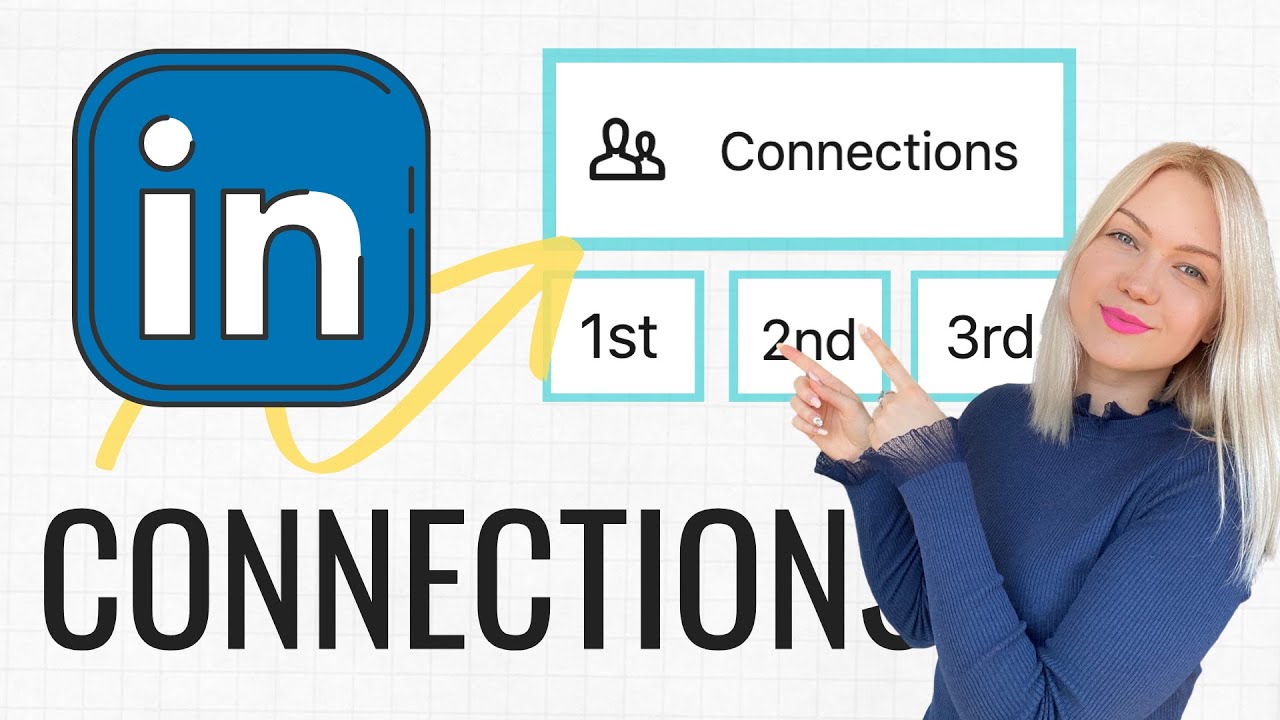
Your LinkedIn Contacts and Connections
https://www.youtube.com/watch?
https://www.youtube.com/watch?
.
8 Part Linkedin Marketing Bootcamp
LinkedIn 2020 Is Like Facebook 2012
https://www.youtube.com/watch?v=U39r1wLe9LU

How many contacts do you really have? 3 databases to download (10 Minutes)
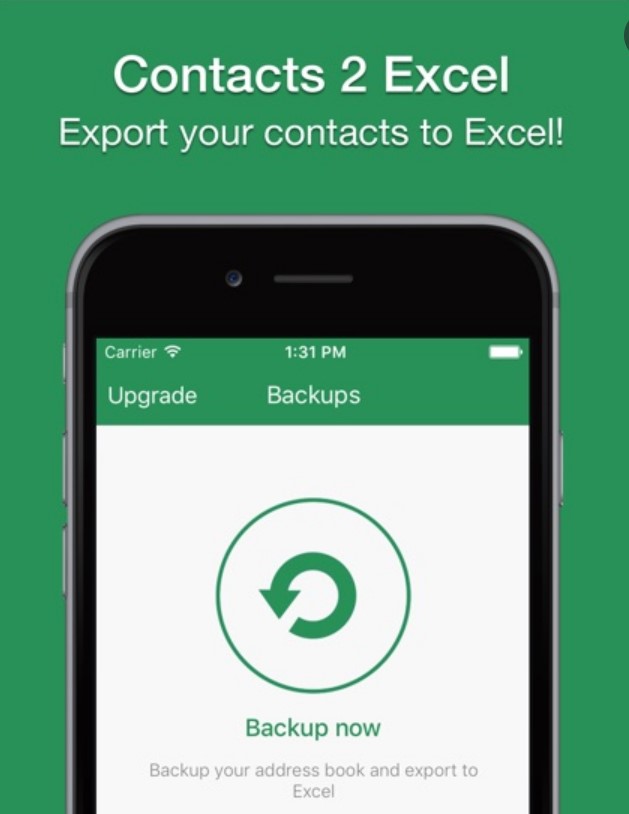
Download the app on your phone to get started
https://play.google.com/store/
ERC Top 10 Daily Prospecting Activities: 2023 Weekly Cash Flow Plan
1. Warm Market Top 10 Recruiting List weekly e-Mail Sample Recruiting Template
Chicken List, People with Large Databases, or Large Networks, Indirect Prospects, etc…
2. Warm Market Business Owners 5 Per day drop off in person w/kit (1/2 day)
3. Local Business Owners 10 Per Day Restaurants, Businesses with 10 or More employees
Hand out ERC Kit with your Link to 5 Min video overview, follow up every other day to see if they are interested.
4. Contact a specific Target Market- Minimum 20 New Contacts Daily, 5 Days per week.
Local Chamber Business’s, Local Business’s, Charter Schools, Trucking Companies…
- Build your Database of old clients, reps and leads you save and build over time. Send ERC Recruiting emails 5 New Per day f/u weekly send 2nd email same one
- LinkedIn 30 New Connections (3x weekly) 100 is the weekly requests limit or you will be suspended. LinkedIn Posts (1 per day) 5/week autopilot 1 Day Wk 15-20 Minutes8. LinkedIn Communication with New Connections (30 Minutes Daily)
Look through your existing connections for business owners to contact.
9. LinkedIn Join Groups in your Target Market & Your Common Market: So AI will feed your Connection recommendations and more
- Referrals by Design, All the Business owners who have already applied for ERC. Handwritten Thank You Cards, Monthly Client Newsletter, Cross-Database, Your Own Angie’s List, Reward ReferralsTrack all your activity- & Follow-up, Follow-up, Follow-Up on the Phone
Self Discipline- Time Block 9-12 am Daily (Money Calls)
(Weekly Accountability to someone other than yourself)
12 Week Year, WAM Group
Use your ERC Trainers Database Tracking Spreadsheet Daily
Class 1 Please Review & Study for Workshop
https://erctrainers.com/wp-content/uploads/2022/06/LIrecruiter-career-guide-updated4.pdf

Class 1 Video Please Review & Study for Workshop

https://www.youtube.com/embed/
Class 2 Linkedin Getting Started with Social Selling ebook:
Class 2 Video Please Review & Study for Workshop
How to Use LinkedIn to Get Clients – LinkedIn Lead Generation (LinkedIn Marketing)

https://www.youtube.com/watch?
Class 3 The Linkedin Modern Recruiters Guide
https://erctrainers.com/wp-content/uploads/2022/06/Linkedin-Recruiters-guide-1.pdf
Class 4 Linkedin Assignments:
Read & Study
https://erctrainers.com/wp-content/uploads/2022/06/linkedin-modern-recruiter-guide-smb.pdf
Class 5 Linkedin Groups https://blog.hootsuite.com/linkedin-groups/
Class 5 Linkedin Groups Video: https://www.youtube.com/watch?v=8dWc2ULBLQU
Class 6 Linkedin Groups: https://www.forbes.
Class 6 Linkedin App Video: https://www.youtube.com
Read & Study this Valuable Guide
8 Ways to Grow Your LinkedIn Connections
How to Network With LinkedIn Groups
15 LinkedIn Mistakes You Can Easily Avoid
13 Creative Ways to Use LinkedIn for Lead Generation
Article Link: How Financial Advisors grow their Business on LinkedIn
Study Link: http://topdogsocialmedia.com/how-to-become-linkedin-top-contributor/
Article Link: http://www.socialmediaexaminer.com/linkedin-tips-business-building/
The Seven Habits of Highly Successful Linkedin Users: 7 habits of LIusers
Discipline & Accountability Leads to Ascension & Dominance.
Linkedin is the Key to consistent prospecting that everyone can do along with accountability & recognition
Google Drive Sample Team Accountability Sheet (Copy & Rename on Your Google Drive)
https://docs.google.com/spreadsheets/d/1UFqgesJ-Oc5zil6UB-OrcCYKtSQeJCJ1htr0iS-0uBE/edit?usp=sharing
Google Drive Sample Personal Daily Accountability Sheet (Save & Update Daily on Your Google Drive)
https://docs.google.com/spreadsheets/d/1eebsnuGbS6BDC48R6OWdGsEy5mFVDC2s1MS5-VYxifQ/edit?usp=sharing
Facebook Friends Guide: The Ultimate Warm Market Lead Generation Resource
- Search for people to add. Facebook is all about making connections. Whether it’s keeping in touch with your cousin across the country or catching up with an old schoolmate on the other side of town, your Facebook experience will improve by adding connections.
- Enter a person’s name, email address, or phone number into the search bar at the top of the page. This will return a list of results. Click the result from the list, and then click the “Add friend” button. This will send a message to the person asking to confirm your friend request. You can include a personalized message with your friend request.
- When the other person accepts the request, you will become friends with them and will have access to their timeline.
- Use the “People I may know” tool. When you click the Search bar, the first option will be “People I may know”. Click on this to open a list of people that you may know, based on people your friends know. This tool becomes more useful after you have a few friends added.
- Organize your friends with Lists. You can create custom lists, or groups, of friends that let you easily share with specific people. In the left menu, hover your cursor over the Friends heading and click MORE. This will open a list of your Friends Lists.
- Click the “+Create List” button to create a new list. You can create lists to help separate family from friends, and business from both.
- Enter the list name and add some members. As you type names, you will see suggestions for matches. This will let you quickly add multiple people.
- You can add new and existing friends by clicking the Friends button at the top of their profile and selecting the list you want to add them to.
- Respond to friend requests. As you start connecting with other people on Facebook, you’ll start receiving friend requests from other users. You can see your pending requests by clicking on the Friends icon on the top of the Facebook screen.
- Next to each request you will see the number of mutual friends you have with that person.
- You can click the person’s name to see their basic profile.
- Click the Confirm button to add the person as a friend, or the Not Now button to ignore the request.
FACEBOOK FOR DUMMIES CHEAT SHEET
Create Custom Friends Lists by clicking on the Friends button
From Facebook For Dummies, 5th Edition
Facebook is one of the dominant social networking sites in the world. Facebook lets you share photos, videos, links, status updates, and much more with your friends. As you discover how this social networking site works, use this handy reference to help you find people on Facebook, communicate with friends, and figure out what to do as soon as you log in.
TOP 5 THINGS TO CHECK WHEN YOU LOG INTO FACEBOOK
Facebook is all about staying in touch with friends. Right after you log into Facebook, check out which of your friends has a birthday coming up, the requests you’ve received, and what your friends are up to.
| Check Your . . . | What It Is | How to Do It |
|---|---|---|
| News Feed | A continuous stream of updates about your friends’ activities on and off Facebook. |
Look at the Home page — News Feed flows down the wide center column with stories and posts from your friends. |
| Upcoming Birthdays and Events | A list of upcoming events and friends’ birthdays occurring today. |
Check the box on the right side of the Home page. For birthdays, only the names of those friends who have listed their birthdays show up. |
| Inbox | Messages from friends or other people on Facebook. | Click Messages in the left sidebar of any page on Facebook. A number appearing next to it shows how many unread messages you have. |
| Friend Requests | Friends asking to connect with you. | Click the Friend Requests icon in the blue bar on top of any Facebook page to open the Friend Requests window. Click Confirm or Not Now to respond to pending requests. |
| Close Friends | A view of News Feed that focuses just on posts from your closest friends. |
On the right side of your Home page, click the down arrow beneath the words News Feed. Click Close Friends from the menu of options that appears. |
FIND PEOPLE YOU KNOW ON FACEBOOK
A popular way to use Facebook is to find people from your past or get to know friends of friends. To find people you know on Facebook and to build your Friend List, check out this table, which outlines a few easy ways to do just that.
| What to Do | How to Do It |
|---|---|
| See which people in your e-mail address book or instant messenger (IM) buddy list are on Facebook. |
Click the Friend Requests icon next to the Facebook logo on the Home page. Click Find Friends in the upper-right corner. Facebook allows you to import from a variety of popular e-mail and IM services. |
| Search for your classmates and co-workers. | Click the Friend Requests icon next to the Facebook logo on the Home page. Click Find Friends in the upper-right corner and then click the Other Tools section beneath the e-mail options. Click the links to Find Classmates and Find Coworkers. |
| Look at your friends’ friends. | There’s a good chance you know the friends of your friends. To view their friends, go to their Timelines and click the Friends section. |
| Check out people you may know. | Based on which friends you already have, Facebook has ideas about people you might know. Check out the People You May Know box on the right side of your Home page. |
| Keep an eye on people your friends’ friend. | Whenever your friends make new friend connections, stories about those connections appear on their Timelines and may also appear in your News Feed. You probably know many of the same people as your friends, so keep your eyes peeled for these stories. |
https://www.facebook.com/
When Facebook started in 2004, it was a bare-bones social network focused on connecting college students. Nine years and more than 1 billion active users later, Facebook has become the most widely-used social network to date and has shaped online interaction as we know it. From connecting distant friends and family members, to bridging the gap between brands and their communities, Facebook has taken the way we interact online to a whole new level.
How are people using Facebook?
Since its inception, Facebook has become an integral component of people’s online social presence. For many, Facebook is the only online social network in which they participate, though the level of engagement varies across the user spectrum. From those that check the network periodically throughout the week to those who are almost compulsively active, the core driving force to participation is connection: connecting with colleagues, friends old and new, alumni networks, and for an increasing percentage of users, even professional connections.
The network itself has transformed into one with highly customizable privacy and visibility settings. Users can dial down their visibility to the point where they are nearly invisible on the platform. They can choose which posts or updates are visible and to whom. Conversely, those users who have chosen a more all-in approach can leave everything completely public, from the images they’re tagged in to their active stream on Spotify.
Features go beyond the individual user’s page to brand pages, events, groups, and now a pseudo-standalone messenger service.
Groups are user-created and have varying levels of privacy and security, much like individual profiles. Users can organize groups around any topic or event they like. From professionally relevant groups to those organized around special interests, such as nutrition, the variety is limited only by interest of the users. These groups have undoubtedly been a welcome and sticky addition to the platform over time.
Events allow users to organize around a point in time. Security here is fairly customizable, allowing for public, private, and somewhere-in-between events. A key feature here is the baked-in ability to export your Facebook events to other calendars, no doubt increasing usage and reliance on this feature that blends users’ personal and professional lives.
Business pages have been an evolutionary product for Facebook. Over the years, they have taken several different shapes, though they are fairly stable today. Like other types of pages, the feature set is ever-evolving as they add more to meet the needs of the marketers behind the brand’s efforts. Facebook has recently added more features in terms of analytics, reporting, security, and access, as well as increased the richness available to those wishing to dive into Facebook advertising.
Facebook Messenger is a new way to combine email, instant messenger, and Facebook messages. As new stand-alone group message services popped up throughout 2010 and 2011, Facebook clearly saw an opportunity and acquired one of the more popular group-messaging apps known as Beluga. They have since re-branded this app as Facebook Messenger. On iOS, Blackberry, and Android devices, this is a stand-alone app, but it also integrates across the Facebook app and web experiences.
As users increasingly rely on social platforms, these social networks will grow and respond as Facebook has. While there’s still a great deal of opportunity in this space, Facebook offers users the most choice for the many facets of their lives while enabling flexibility for privacy and visibility. As users continue to adopt new behaviors and ultimately expectations, Facebook will need to continue to adapt to stay at the top of the social pile, so expect continued change and evolution. This change is necessary and beneficial, but can be frustrating from a marketing perspective.
Strategies and tactics for success
As more and more people and brands jump onto Facebook, the noise level for individual users increases. While Facebook’s News Feed algorithm helps the noise level by showing users what it deems the most relevant content, in order to really stand out from the crowd, brands must be remarkable, interesting, and add value.
In order to ensure your content is seen, you’ll need to optimize and take Facebook-specific functionality into account.
Content: Everything you post on Facebook is content. As we now know from the News Feed algorithm, how users interact with that content is important. Consider every piece of content you post an opportunity for increased and specific engagement, and don’t be afraid to have a little fun. Take a look at these examples from Delta and GE. While completely on-brand, you can see they’re a bit unexpected and show they’re not afraid to show their human side. Also, images are incredibly effective on Facebook—posts with photos get, on average, 39% more engagement.
Post timing: Also related to the ingredients of your content is when and how you post it. Be sure you’re tracking what time of day your fans are most active. Focusing your engagements during these times will help you grow your community. Also be sure to pay attention to things like sentence structure, phrasing, and types of posts that are particularly engaging to your audience. Many Facebook users check the site on their lunch breaks and after dinner, and while the latter is outside of normal business hours, it’s worth testing to see if that’s a time when your audience is looking for content.
Moderation: Brands have increasing levels of responsibility for user-generated content posted on their walls or in comments. You’ll want to proactively think through your stance on inappropriate content on your Facebook page, and your best practice would be to make this stance publicly available. This lets your community know what you will and will not allow, lessens the chance of a surprise, and builds a sense of safety and sets expectations.
Facebook is an open and public space, so you can’t control everything people say. Instances in which it is appropriate to remove user content would include: advertorial content, harassment and abuse, derogatory or offensive language, threatening posts, and posts that contain sensitive information (credit card numbers, addresses, etc.). Instances in which you should address the comments instead of removing them include: customer complaints, negative commentary, and critical statements. You may not like what people always have to say, but in social, you always have to listen.
Engagement: Because we are building something rooted in relationships, you can take full advantage by joining in the conversation with your customers. They want to interact with your brand, and are going out of their way to do so. Honor that. The type of conversation will dictate the cadence and rhythm of your response. This is largely dependent on your product as well; for example, an airline’s response rates to customer service issues ought to be rather quick, as their customers’ needs are likely far more time sensitive than those in another industry. Only you can determine what is right for your organization and product, but at least in the initial stages of building a community, it’s better to err on the side of faster responses.
Community: Make your audience’s experience on Facebook about their experience and their connections rather than your CTR and conversion rates. Concentrate on them, and you’ll succeed. Your audience will turn into a community that thrives, grows, and supports one another. By enabling engagement within the audience, you can help increase the level of stickiness and affinity they will have to the brand, moving toward customer advocacy.
User flow: While the page environment Facebook gives brands is mostly set, you want to make sure you’re directing your users where you want them to go. If I am a user looking for support or help, will I know where to go? Just as you do when designing landing pages for your website, consider the goals of your Facebook page. What do you want users to do when they land on your page? What information do they need to be able to access easily? Make sure these elements are front and center. You can easily change the order of the apps and even optimize the icons used to display those apps for visibility. JetBlue is a great example of a clear and obvious user flow.
Credibility: A huge part of your brand is built on trust, and the foundation of that trust is your credibility. Grammar and spelling are universally important, and all efforts for their correct uses should be made. Fact-check sources and news before sharing them on your networks. Ensure the safety of your users by not sharing links to malicious sites. Essentially, make sure you don’t give your community a reason to believe you are anything other than what you are: awesome.
Etiquette tips and guidelines
Like offline social interactions, Facebook has its own set of unwritten do’s and don’ts for users to follow. Facebook is, first and foremost, a social network built to help users stay connected with one another. It has also evolved into a platform for businesses to engage with their customers. This hierarchy is important to keep in mind, and means that you must know the ropes before diving in. Here are a few tips to get you started with proper Facebook etiquette:
Don’t spam: This is a big no through all of marketing. Always be tactful, classy, and do not spam. This includes sending mass-event invites and messages and invitations to like your brand pages from your personal account. It’s not impossible to spam as a business page either, but Facebook’s functionality prevents most of it.
Respond: Response times are going to vary based on the issue and the product in question, but in social media timeliness is critical. Users expect things to happen much faster on social channels than on more traditional web channels like email. In most cases, same-day responses are required. Don’t ever let your community feel like they’ve been forgotten.
Say no to clustered updates: With the notable exception of image albums, avoid making multiple updates within a short time span. Beyond News Feed algorithmic concerns, it’s just annoying to your followers. Your signal-to-noise ratio falls, and you may lose the long-term attention of your audience.
@Name: If you want to call out another public Facebook page or user, you can directly link to their Facebook page, which also notifies them that you’re talking about them, by putting an @ and then typing their name. (Facebook will help your selection with a drop-down.) This also makes it clearer to whom you’re addressing. Note that private users can’t be called out in this way unless you’re replying to a comment they left on your page.
Highlight important posts: If your brand has any very important updates; e.g. acquisitions, sales, or feature in news articles; you can highlight them in your page’s timeline. This expands the post to both columns, and may get these important updates further into people’s News Feeds.
Messages: People can send your page private messages. You’ll find the most of these messages will be customer service-related, so make sure to check them. The messages section functions like an email inbox.
Notifications: The notifications box will show you the most recent likes, comments, wall posts, etc., on your brand’s page. Depending on the volume of incoming activity, this administrative section can be useful when tracking activity by your community. Due to Facebook’s focus on recent activity, you’ll probably only receive comments and likes on recent posts, but the notifications can help track activity on older posts.
Page favorites: You can mark other brand pages as favorites on your business’ page. This is a helpful way to promote partners, good causes, or others you’re connecting your business with.
Posting: While many social media tools allow you to post from them to Facebook, you’ll have the best results by posting directly to Facebook from Facebook itself. Facebook’s algorithm biases toward post that originate from its own interface. Responses and comment moderation, however, can be done via social management software without issue.
Scheduling: Thankfully, Facebook does allow scheduling of posts directly in their interface. If you are sharing linked content, this content must already be live on the web, which can be a pickle for those scheduling unpublished blog posts or other content. Scheduled posts will appear only to the moderators in the “Activity Log.” Keep in mind, though, that engagement is a primary goal, and you’ll want to be around for the responses to your scheduled posts.
